Guides / Done for you
After-hours call script for home service businesses
By Next Gen Calls · Published
Quick summary
Next Gen Calls builds, connects, launches and tunes your after-hours AI receptionist for you. Start with a natural greeting such as 'Thanks for calling [Business name]. How can I help?' Then help the caller take the right next step, with clear details for your staff to follow up.
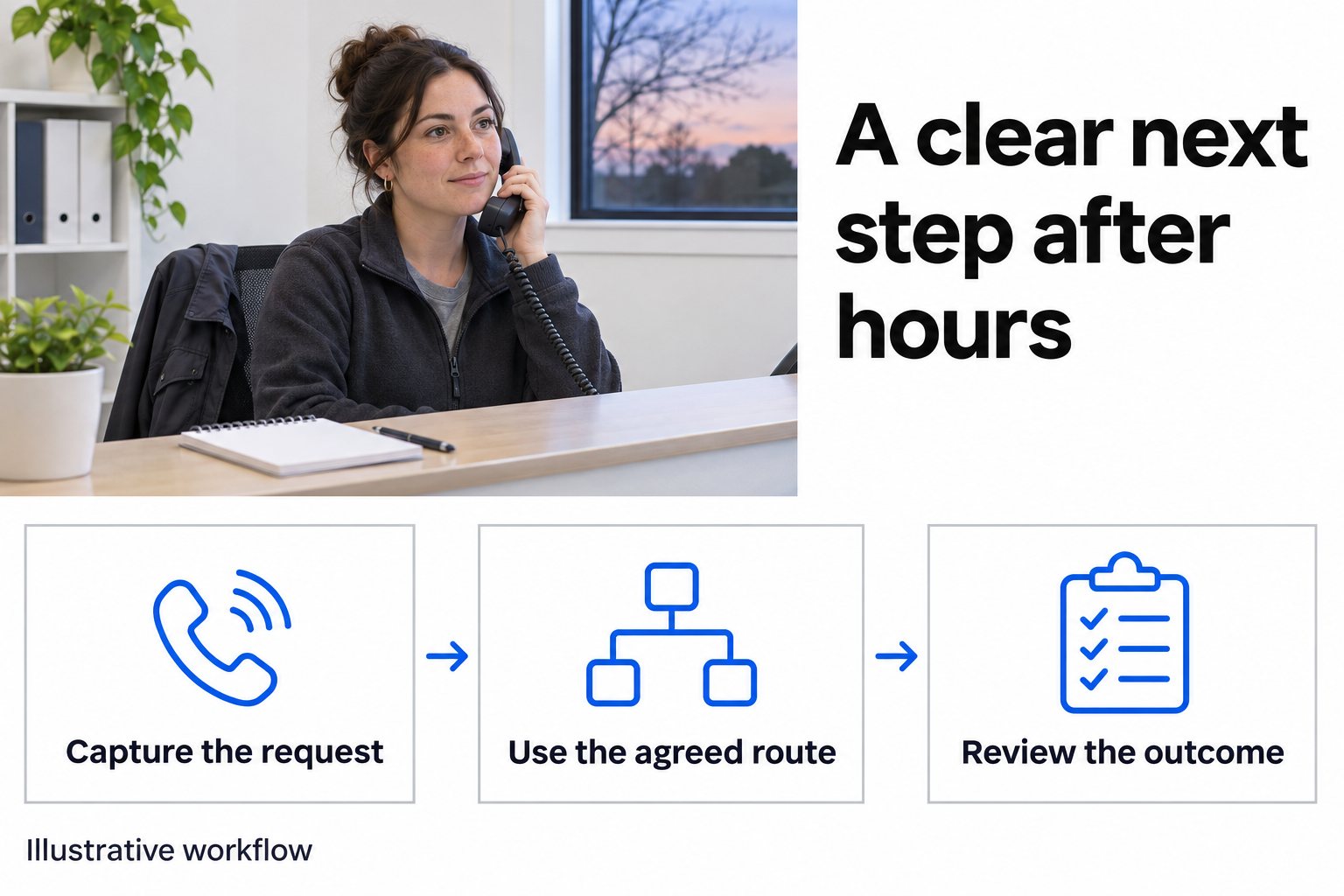
- 01 →
Capture the request
Record the caller's contact details, service location and reason for calling in their own words.
- 02 →
Use the agreed route
Follow your business's approved on-call, booking or office-review instructions.
- 03
Review the outcome
Check what was confirmed, what remains open and which staff member owns the next action.
Illustrative workflow. We confirm the connected actions and permissions for your setup before launch.
Write the closing line before the opening greeting
An overnight caller needs to know what happens next. Your office needs to know what is still waiting when it opens. Start by agreeing the outcomes your business can actually offer after closing.
A routine estimate inquiry may wait for office review. A call covered by your on-call policy may need a person now. An appointment may be available through a connected calendar. Each outcome needs its own closing wording and staff owner.
Separating these paths is an established operating choice. An answering-service case study describes treating overnight routine messages differently from calls that require the owner's attention. Your own coverage, staffing and commitments should determine your rules.
Use this guide to prepare your script. For the wider reception setup, see home-service AI reception.
The language rules behind these examples
These are excerpts from language rules in our stored agent instructions, checked on November 14, 2026. They guide the conversation style. We agree your business's greeting, questions and call routes separately.
Listen before you respond. Do not jump in with a canned answer before the caller has finished talking. Let them finish. React to what they actually said, not what you expected them to say.
One question at a time. Never stack questions. Ask one thing, wait for the answer, then ask the next thing. This is the single biggest difference between a voice A.I. that sounds human and one that sounds like a robot.
Keep responses concise. Answer what was asked, then let the caller respond. Do not monologue. Do not stack multiple pieces of information together when the caller only asked about one thing. Let the conversation be a back-and-forth, not a presentation. One or two sentences at a time is usually the sweet spot.
Never say: "I understand", "Certainly", "Absolutely", "I apologize for the confusion", "I apologize for any inconvenience", "Thank you for your patience", "Is there anything else I can assist you with today?", "As an AI…". A plain "Sorry" once for a real slip.
A short script your office can adapt
The following is illustrative wording for your team to approve. Replace the business name and use the questions that fit the conversation. Let the caller explain what they need, then ask one useful follow-up at a time. If they have already given a detail, use it. An urgent safety instruction should take priority over routine intake.
Greeting
“Thanks for calling [Business name]. How can I help?”
Give the caller room to answer. Respond to what they actually said, then ask for the next missing detail. Use their answer to move the conversation forward.
Contact and location
“What's your name?”
“And what's the best number to reach you on?”
“What's the address?”
Ask for the town, ZIP code or unit number if needed to identify the location.
Read back an unclear number or address. Confirm whether the caller is contacting you about an existing appointment or a new request before asking them to repeat a full sales inquiry.
Reason and requested next step
“What's happening at the property?”
“Were you hoping to speak with someone tonight, or arrange a visit?”
Use these follow-ups when the caller has not already explained those details. Match the question to what they have told you.
Ask your approved follow-up questions. Record the caller's description accurately. Your team decides what reported conditions lead to an on-call transfer, ordinary office review or another approved route.
Read-back
“Okay, that's [address], and you'd like [next step]. Have I got that right?”
Briefly repeat the location, issue and requested next step. Give the caller a chance to correct a missing unit number, wrong street or misunderstood request.
Use a closing statement that fits the outcome
Choose the closing line after the action has finished. These are examples to adapt to your actual process.
- Trying the on-call person: “Let me try [name/the on-call team] for you.” After the attempt, explain what happened.
- The office needs to review it: “I've got those details for the office. They'll need to review the request when they open. We haven't booked a visit yet.” Use this when that review process is in place.
- An appointment is confirmed: “You're booked for [appointment type] on [date] at [time].” Use the actual result from the approved booking action.
- Nobody answers: “I couldn't reach the on-call team. I'll put you through to their voicemail.” Use this only when that is the configured next step. If you are trying a backup first, explain that instead. Agree any callback commitment with your staff before including it.
Smart Receptionist Agent™ supports warm transfers with a private whisper briefing, a backup group and voicemail fallback. We scope the contacts and routing by business hours and holidays. The human-handoff guide covers that setup in more detail.
Keep an urgent service request separate from safety instructions
Your team should approve the exact wording for reported danger and the point where ordinary questions stop. A caller reporting a possible gas leak, for example, needs the appropriate emergency instructions. PHMSA's guidance tells people to leave the area and contact 911 from a location well away from a suspected leak.
Have qualified staff review this part of your script for your location and services. The receptionist should follow approved wording rather than improvise repair instructions. Accepting a job, diagnosing a fault and deciding whether to send a technician remain staff decisions.
Worked example: the caller asks if someone is coming tonight
Imagine a homeowner calls after closing about a sink leak and asks for a visit tonight. This is a fictional office example, not a customer result or a universal urgency rule.
The receptionist captures the service address, callback number and the caller's description. Under this example business's approved policy, it attempts the on-call route. The first contact and backup do not answer, so the configured voicemail fallback applies.
The closing wording must make that outcome clear. “A technician is on the way” would be inaccurate. The summary should preserve the request for tonight and the unanswered attempts so staff can decide what to do next.
An illustrative note for office review could read:
Request: Caller reports a sink leak and asks for a visit tonight. Address and callback number read back. Outcome: On-call and backup attempts unanswered; voicemail fallback used. Still open: Staff must decide whether to accept the request and contact the caller. No arrival time or visit confirmed.
For a routine estimate inquiry, the same office may use its next-business-day review path without trying the on-call contacts. Both calls need an accurate closing outcome.
Give the morning team a checklist
Choose one staff role to own overnight review and a backup when that person is away. This is a suggested office procedure, not a claim that the AI automatically assigns every task or checks it off.
For each call summary, the reviewer should establish:
- Who and where: Are the callback details and service location usable?
- What was requested: Is this a new job, existing-appointment question or another office matter?
- What happened: Did a person answer, an appointment complete, or a request remain open?
- What was promised: Check any date, appointment type or agreed next step against the actual result.
- Who acts now: Name the colleague who will review, call back or resolve the remaining question.
AI summaries after calls help the reviewer start with the conversation's essentials. Check the summary against the caller's words when something is unclear. Keep an unanswered request open until a person has dealt with it.
Bring these decisions to your build
We build, connect, launch and tune the agent around your approved script. Bring your service area, opening hours, holidays, on-call contacts, backup owner and permitted appointment types.
If booking is included, agree the specific GoHighLevel calendar and lookup actions or another supported booking path. Test a routine request, an unclear address, an unanswered on-call route and a holiday call. Compare the caller's closing message with the summary and any calendar result.
A friendly note: have your team approve privacy, contact and recording wording before launch.
Common questions
What should an after-hours home-service call script include?
Start with a natural greeting such as 'Thanks for calling [Business name]. How can I help?' Let the caller explain, then ask for missing contact, location and service details one question at a time. Close with a clear next step and agree who reviews unresolved requests when the office reopens.
Can the AI decide whether a plumbing or HVAC problem is an emergency?
Your business supplies the questions, safety wording and routing rules. The receptionist captures what the caller reports and follows the agreed path. Technical diagnosis, repair advice and decisions to accept or dispatch work stay with authorized people.
What happens if the on-call person does not answer?
Next Gen Calls supports a backup group and then voicemail fallback. We confirm the contacts, hours, holidays and wording for your build. The caller should hear the actual next step without being told that a technician has accepted the job.
Can an after-hours receptionist book an appointment?
Appointment booking is available through an agreed and tested booking path. Define whether the slot is a consultation, estimate visit or another appointment type. A requested time stays a request until the booking action succeeds, and a calendar booking does not automatically assign a crew.
How should the office follow up the next morning?
Name a staff owner to review call summaries, distinguish completed connections and bookings from open requests, confirm missing details and take the next action. Agree any callback commitment in advance rather than using a deadline that nobody has accepted.