Guides / Done for you
How to handle grooming appointment change requests
By Next Gen Calls · Published
Quick summary
Next Gen Calls builds, connects, launches and tunes your pet-care receptionist for you. For an appointment change, establish which pet and visit the owner means, what they want instead and whether they still want to cancel if another time is unavailable. Follow the booking action or staff-review path you have approved, then explain the actual outcome clearly.
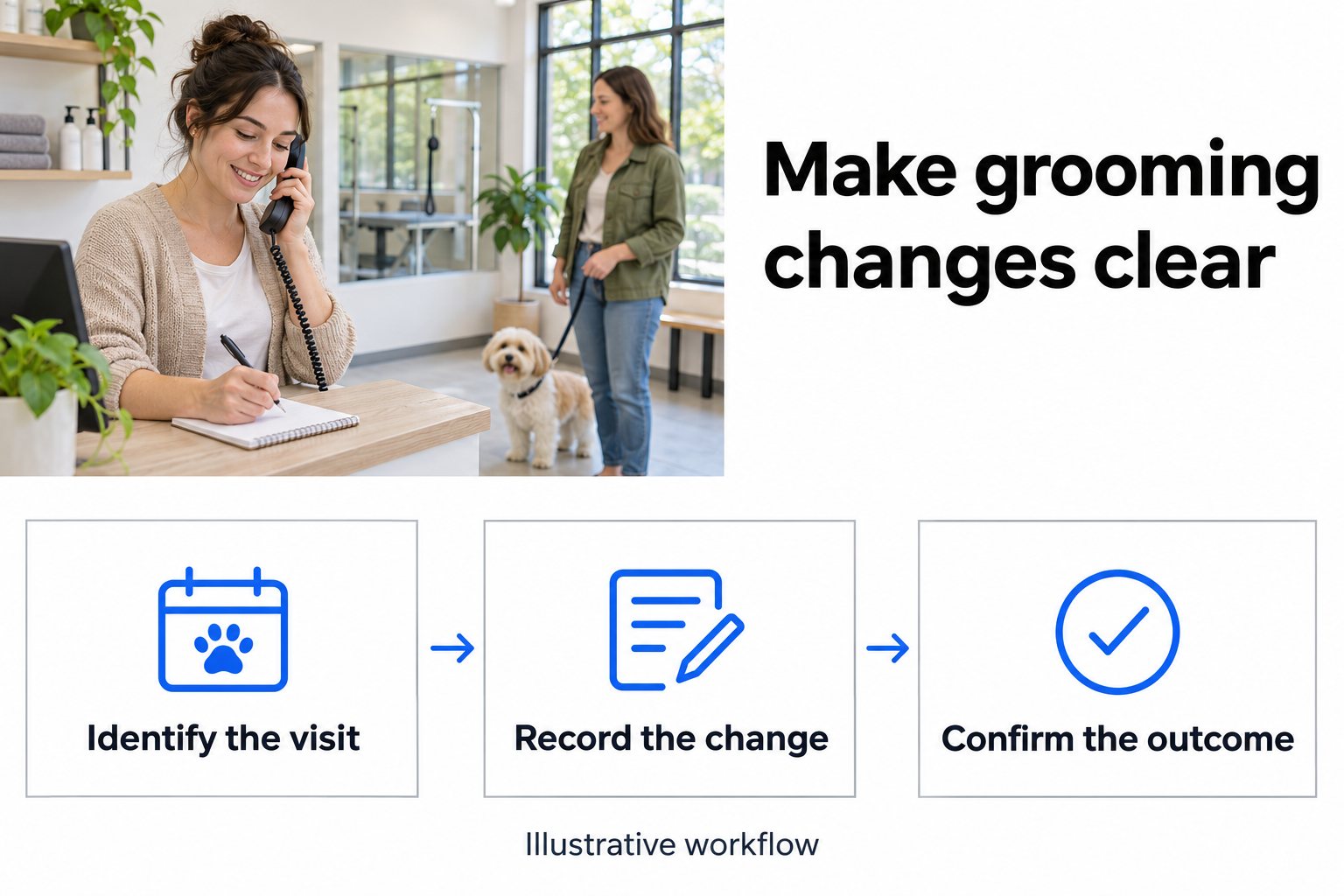
- 01 →
Identify the current visit
Confirm the owner, pet, service and appointment they want your team to review.
- 02 →
Clarify the requested change
Distinguish a definite cancellation from a request to move only if another time works.
- 03
Explain the actual outcome
Tell the owner whether the request needs staff review or an approved change has completed.
Illustrative workflow. We confirm the connected actions and permissions for your setup before launch.
Find the visit before discussing a replacement
“Can you move my appointment?” can refer to one pet, several pets, a different service or a visit at another location. Start with enough information for your team to identify the intended booking.
Your approved questions might cover the owner's name, a callback number, the pet's name, the current appointment day and the booked service. Ask for the location when your business has more than one. If the owner cannot remember the date, keep that uncertainty visible for the person checking the record.
Then ask what should change. Moving the day, arriving later, choosing a different groomer and changing the service can need different staff decisions. Capture the specific request before discussing availability.
Gingr's staff documentation treats rescheduling as a change involving the appointment, service, specialist and sometimes duration. That is a useful reminder to have staff check the whole visit when reviewing a request. We agree separately which connected actions your receptionist can complete. Gingr's staff rescheduling guide
Ask whether the owner is cancelling or asking to move
There is an important difference between “I cannot attend Tuesday” and “Could I come Friday instead?”
In the first case, the owner may want to cancel regardless of whether another appointment is available. In the second, they may want to keep the current visit if Friday does not work. A short clarification gives staff the instruction they need.
Your team could approve wording such as “If that day is unavailable, would you like the team to keep your current appointment or review a cancellation?”
Record the answer along with any flexibility the owner offers. “Friday afternoon, or another day next week” is useful information. It remains a preference until the approved booking process confirms an actual change.
If the owner changes their mind during the call, confirm their final instruction before ending the conversation. Have staff check that the summary reflects that final request.
Follow a request involving two pets
Here is an invented example. An owner has Buddy and Bella booked on Tuesday and asks to move Buddy to Friday. Bella should attend as planned. If Friday is unavailable, the owner wants to keep Buddy's Tuesday visit.
The receptionist should clarify that only Buddy's visit is under discussion, capture Friday as the preferred replacement and preserve the condition about keeping Tuesday. If this change needs staff review, explain that next step using your wording.
A useful fictional note could read “Owner requests moving Buddy's Tuesday groom to Friday if available. If Friday is unavailable, owner wants to keep Buddy's current visit. Bella's appointment is outside the requested change. Callback details confirmed. Staff need to check availability and complete any approved change.”
That gives the front desk a specific decision to make. It also gives the person returning the call something to confirm with the owner.
If the owner cannot distinguish the two bookings or is unsure which service is booked, the request needs clarification. Your staff can check the right records before acting.
Use your own cancellation and deposit wording
Bring your current cancellation policy to the build call. Agree what the receptionist can explain, which questions need staff and how an owner can ask for an exception.
Keep the wording specific to your business. A notice period used by another groomer does not establish the rule for your shop. If your policy treats a cancellation, a late arrival and a change of service differently, give each a clear approved answer.
Deposits may also need a separate decision. Gingr's cancellation documentation includes a deposit step. Have the staff member who owns that process review what the caller should hear and what needs checking after the request. Gingr's staff cancellation guide
An owner might ask to waive a fee or move a deposit to another visit. Capture that request for the person authorized to decide it. The conversation should make clear when that decision is still pending.
End with the outcome the owner can rely on
Choose closing wording for each result your approved workflow can reach.
The request needs staff review. Explain which request has been captured and what your team will review next. Any callback timing should follow a commitment your business has approved.
An approved change has completed. Confirm the resulting pet, service, date and time from the successful action. Have staff include those details when they complete a change themselves.
The booking or request is unclear. Explain that the team needs to check the information. Keep the missing details visible in the handoff.
Gingr is a verified integration, and we scope the records and actions for your particular build. Bring a sample of the change workflow you want, including what staff expect to see afterward. Confirming a new appointment and changing an existing one need their own acceptance checks. Plan the Gingr connection
For a call that needs a person, we can use a warm transfer with a private whisper briefing. Agree the receiving role, backup group and fallback so an unanswered transfer still leaves the owner with a clear next step.
Test the cases that are easy to misunderstand
Before launch, try a definite cancellation and a move that is conditional on another time being available. Include two pets, an owner who cannot remember the current date and someone who changes their mind halfway through.
Check the conversation, AI summary and any connected action included in the build. In the two-pet example, can staff see exactly which visit the owner wants reviewed? Does a summary preserve the condition about keeping Tuesday? Does the owner hear whether a change actually completed?
Also test a same-day request and a fee-exception question. Decide who receives each request while the groomer or front desk is busy. If the result is unclear, revise the wording with us and repeat that case.
Next Gen Calls builds, connects, launches and tunes the Smart Receptionist Agent™ around those approved conversations. Bring your services, policies, current change process and staff contacts so the first launch matches how your team handles visits.
Common questions
What should the receptionist ask when an owner wants to reschedule?
Confirm the pet, service and current visit, the preferred replacement day or time, a callback number and whether the owner wants to cancel even if a replacement is unavailable. Use the questions and record-matching steps your business has approved.
Can the AI receptionist cancel or reschedule in Gingr?
Gingr is a verified integration. We confirm and test each connected action for your build. New appointment booking does not establish that cancellation or rescheduling is included. If a change action is outside the approved scope, capture the request and use your staff-review path.
What if the owner has two pets booked together?
Clarify which pet and service should change and whether any other visit is part of the request. Read that scope back to the owner. Staff should check the relevant appointment records before completing a change.
Can the receptionist waive a cancellation fee?
It can explain the policy wording your team approves and capture a request for an exception. Your staff decide fees, deposits and exceptions. The caller should understand when a decision is still waiting for review.
What should the call summary say about a change request?
It should make the current visit, requested replacement or cancellation, any conditions and the next staff action easy to understand. Check that it describes the result actually reached rather than treating a preferred time as confirmed.