Guides / Done for you
How to follow up on old insurance quote leads
Quick summary
Next Gen Calls builds, connects, launches and tunes the follow-up workflow for your agency. Start with old quote requests your agency can still contact, offer a fresh review by an approved channel, and give interested replies to a licensed member of your team. Leave unverified contacts and opt-outs out of the campaign.
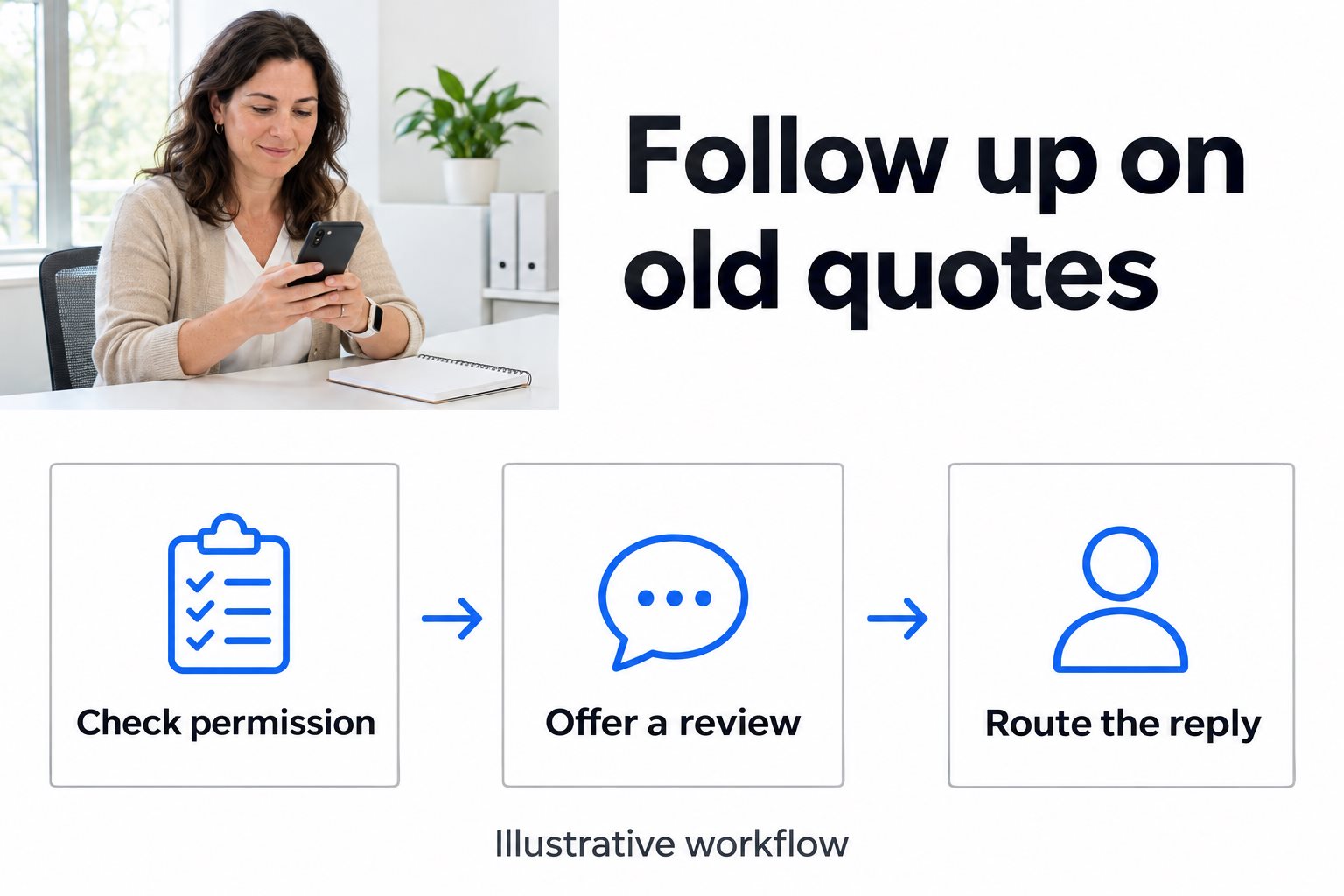
- 01 →
Check permission
Review where the quote request came from, the approved channel and any stop request.
- 02 →
Offer a fresh review
Use a short message tied to the earlier inquiry, with no price or coverage promise.
- 03
Route the reply
Have a named staff member take interested or complicated replies out of the sequence.
Illustrative workflow. We confirm the connected actions and permissions for your setup before launch.
Choose one group of old quote requests
Start with people who asked your agency for a quote, received one, and did not go ahead. Keep the first group narrow: for example, prior personal auto quote requests your agency owns and can still contact. Put current customers, active quotes, purchased leads with unclear records, and people who already declined or opted out aside. Each of those needs a separate decision.
For each record, write down:
- What happened last time: who requested the quote, when it was sent, and whether anyone has followed up since.
- Which channel your agency approves: check the source and record of permission, plus any later stop request. A phone number in a record is not enough for this workflow.
- Who owns the relationship now: check for duplicates and make sure another producer is not already handling the same request.
- What you are offering: a conversation about a fresh review. Leave any renewal date you cannot verify blank.
If you cannot answer those questions from the record, put it aside for staff review. Start with a list small enough that your team can read and handle every reply.
Send a message that makes the next step clear
Remind the person why they might recognize your agency. Ask one simple question. Avoid implying the old price is available, their renewal is due, or their circumstances have stayed the same.
Here is fictional message copy to adapt, before adding the wording and opt-out instructions your agency approves:
Hi, this is [Agency Name]. You previously asked us for an auto insurance quote. Would you like someone from our team to contact you about a fresh review?
Keep policy numbers, vehicle details, dates of birth and old quote amounts out of the opener. If someone wants to discuss those details, have staff take the conversation through the agency's approved process. Choose a short sequence and an end date; silence is a reason to close this campaign, not permission to keep adding reminders.
Give each kind of reply an owner
Agree on the next step before a message goes out. Keep the instructions simple enough that a colleague covering the inbox can use them.
- “Yes, call me next week.” Take the person out of reminders. Give the assigned producer the original request, approved callback channel and the requested timing. Do not tell the person an appointment is booked unless staff or the agreed booking step actually confirms it.
- “I already renewed.” Close this round of outreach. Do not infer the next renewal date or add a new campaign without an approved reason and channel.
- “Please stop,” or “wrong number.” Stop the sequence and have staff update the relevant records. A wrong number needs correction; it should not get another attempt from the same list.
- “Will this cover my new car?” Pause automated follow-up and pass the question to a licensed team member. They can verify the situation before discussing terms or price.
- No reply by the end of the sequence. Close this round and record the outcome. Keep that record separate from people who asked you to stop.
Give one person responsibility for checking replies and a backup for when they are away. Avoid launching if nobody can take the first interested response.
Example: a quote that never moved forward
Imagine a small agency finds a previous auto quote that did not turn into a policy. The record shows the inquiry came through the agency's own form, email is approved for this follow-up, and there is no current case or stop request. The agency sends its approved invitation to review the quote. The person replies that they changed cars and would like a call on Friday.
The reminders end. The producer gets the original quote reference, the fact that the person changed cars, and Friday as a requested time. They contact the person through the agency's approved process, confirm the details and decide whether to issue a new quote. The old price stays out of the automated reply. This is an example of the workflow, not a customer result.
What we build with your team
We agree the eligible list, channel, message wording, stop conditions and staff handoff before launch. Smart Micro Agent Solutions™ supports win-back by SMS or email, with AI-drafted messages or a fixed sequence. Next Gen Calls supports SMS consent tracking and opt-out suppression; we agree and test which connected actions apply to your setup. Your team owns the contact rules and handles coverage, quotes and policy decisions.
Keep this old-quote workflow separate from outbound follow-up to a new lead. If someone chooses to call your office back, we can scope the inbound reception path separately and agree how to reach the right person.
Test the replies, then watch a small first run
Use test contacts first. Check that an interested reply reaches its owner, an opt-out stops further reminders, a duplicate does not get contacted twice, and silence ends at the agreed point. Try both a short opt-out keyword and a sentence asking you to stop. Confirm the staff steps for anything the setup does not handle on its own.
In the first live group, track requests to speak, records that needed correction, stop requests, and whether staff followed up on the conversations they accepted. Use those results to decide what to fix before adding more contacts. A reply asking for a call is a useful outcome to track separately from a new quote or a policy sale.
Before launching, ask your agency's compliance contact to review the list, wording and channels. The FTC's commercial email guide is a useful reference for the email review.
Common questions
Which old insurance leads should we start with?
Choose one group of people who asked your own agency for a quote, have no active follow-up or stop request, and have an approved contact channel. Leave out records with unclear ownership, permissions or contact details.
Should an old quote be sent again?
Do not treat an old quote as current. Offer a fresh conversation; a licensed member of your team can check changed circumstances, coverage and current pricing before issuing a new quote.
Can Next Gen Calls help with SMS and email follow-up?
Yes. Smart Micro Agent Solutions™ supports SMS and email win-back campaigns using a fixed sequence or AI-drafted messages. We scope the approved channel, wording and stop rules with your agency and test the workflow before launch.
What should happen when someone asks us to stop?
Take the contact out of the campaign and have your team record the request in its suppression process. Test how your setup handles both a standard opt-out and an ordinary reply asking you to stop. Do not switch channels to keep the campaign going.
Who should handle a reply about coverage or price?
Assign a licensed member of your team. The follow-up workflow can invite a conversation, but your staff should review the current facts and handle quote, coverage and policy decisions.